I’ve recently experienced a number of errors in my proxmox server related to the NVME drives.

{1}[Hardware Error]: Hardware error from APEI Generic Hardware Error Source: 514
{1}[Hardware Error]: It has been corrected by h/w and requires no further action
{1}[Hardware Error]: event severity: corrected
{1}[Hardware Error]:  Error 0, type: corrected
{1}[Hardware Error]:  fru_text: PcieError
{1}[Hardware Error]:   section_type: PCIe error
{1}[Hardware Error]:   port_type: 0, PCIe end point
{1}[Hardware Error]:   version: 0.2
{1}[Hardware Error]:   command: 0x0406, status: 0x0010
{1}[Hardware Error]:   device_id: 0000:a1:00.0
{1}[Hardware Error]:   slot: 0
{1}[Hardware Error]:   secondary_bus: 0x00
{1}[Hardware Error]:   vendor_id: 0x2646, device_id: 0x5013
{1}[Hardware Error]:   class_code: 010802
{1}[Hardware Error]:   bridge: secondary_status: 0x0000, control: 0x0000
nvme 0000:a1:00.0: AER: aer_status: 0x00002001, aer_mask: 0x00000000
nvme 0000:a1:00.0:    [ 0] RxErr                  (First)
nvme 0000:a1:00.0:    [13] NonFatalErr
nvme 0000:a1:00.0: AER: aer_layer=Physical Layer, aer_agent=Receiver ID
After looking into this. I’ve found a series of articles and posts about this issue:
- https://gist.github.com/zekome/35db528b33206e68f18439ad7fabfcd5
- https://forums.unraid.net/topic/118286-nvme-drives-throwing-errors-filling-logs-instantly-how-to-resolve/
- https://forum.proxmox.com/threads/aer-corrected-error-received-should-i-be-worried.127067/
- https://forums.debian.net/viewtopic.php?t=155031
- https://forum.proxmox.com/threads/help-with-console-message-nvme-aer-error-of-this-agent-is-reported-first.123699/
and sadly none of these posts seem to have a solid answer…. and even worse, most replies are just telling people to silence the errors, or even disabling the error recovery features entirely (Absolutely bonkers).
Follow up
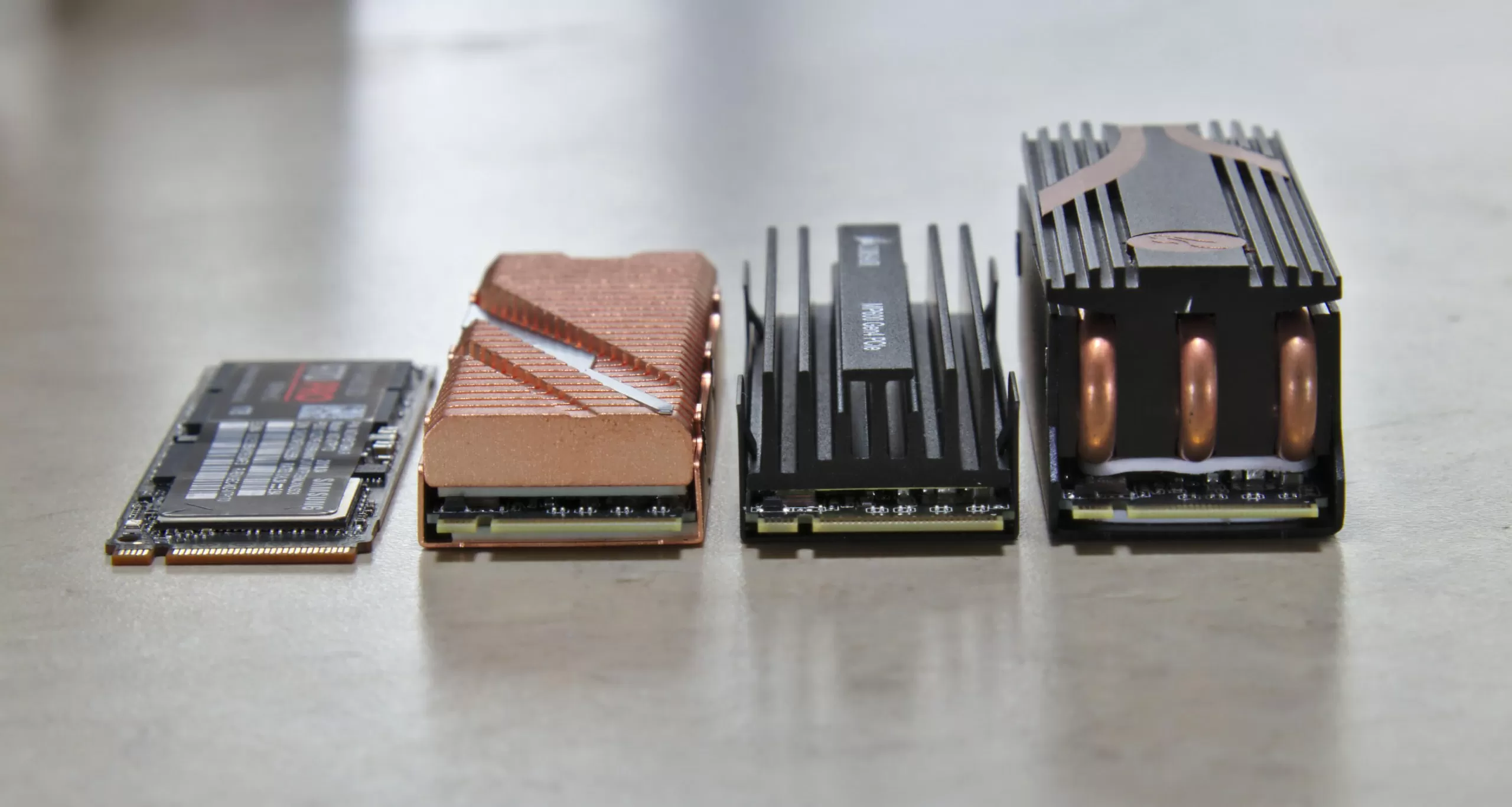
For my server, I’ve found this issue is almost entirely related to the NVME drives overheating.. I’ve installed some thin heatsinks, and the issue has almost completely resolved itself.
I cannot confirm if this is true for the others… but I’ve got a feeling it’s the root cause for my server considering how hot these NVME storage devices are getting on GEN 4 / GEN 5.
Welcome to techno hell. Everything needs a heatsink now.
Categories: TECHNICAL

Leave a Reply